PERSONAL VIRTUAL TRY-ON
TriFit by Velox XR
See yourself in different outfits using your own photo and a clothing reference. TriFit is the public Velox virtual try-on app, with DressMe and AnimateMe in one place.
Open TriFit →FASHION AI BY VELOX XR
Velox XR, also known as Velox, creates AI tools for fashion: TriFit for virtual try-on, DressMe for outfit previews, AnimateMe for moving looks, and AnimateIt for photo animation. Our Shopify app brings virtual try-on to fashion stores.
Consumer apps require email verification. Free allowance and limits apply.
CHOOSE YOUR TOOL
PERSONAL VIRTUAL TRY-ON
See yourself in different outfits using your own photo and a clothing reference. TriFit is the public Velox virtual try-on app, with DressMe and AnimateMe in one place.
Open TriFit →OUTFIT PREVIEWS
DressMe creates an AI outfit preview from a person photo and a clothing image. Use it inside TriFit, or on a Shopify store that has enabled Velox Tri-Fit.
Use DressMe in TriFit →ANIMATE YOUR LOOK
After creating a DressMe look, use AnimateMe to turn it into a short video. This is the outfit-animation feature in TriFit and the Velox Shopify integration.
Create and animate a try-on look →PHOTO TO VIDEO
Make your picture move. AnimateIt turns a still image into a short AI video, without needing to create an outfit preview first. Browse public examples, upload a photo and make your own animation.
Open AnimateIt →FOR FASHION BUSINESSES
Explore demonstrations of Velox fashion AI and discuss a visual-commerce pilot. Studio connects the consumer tools, merchant integration and development previews.
Explore Velox Studio →DEVELOPMENT PREVIEW
RealiseMe explores video-to-video fashion transformation. It is a development preview, separate from the public TriFit and AnimateIt apps.
See the RealiseMe preview →VELOX FOR YOUR STORE
Velox Tri-Fit is the Shopify app published by Velox XR Limited. It connects a store's product clothing images with shopper photos through DressMe. AnimateMe can then animate the try-on results.
Start at the official listing to install the app and check its current trial allowance and terms. The merchant trial is separate from the free allowance in the public consumer apps. Studio pilots also have their own approval and terms.
SEE THE WORKFLOW
This public TriFit demonstration uses Amara, our AI model. DressMe previews a dark activewear outfit on the original photo. These are approved demonstration assets, not customer photos.

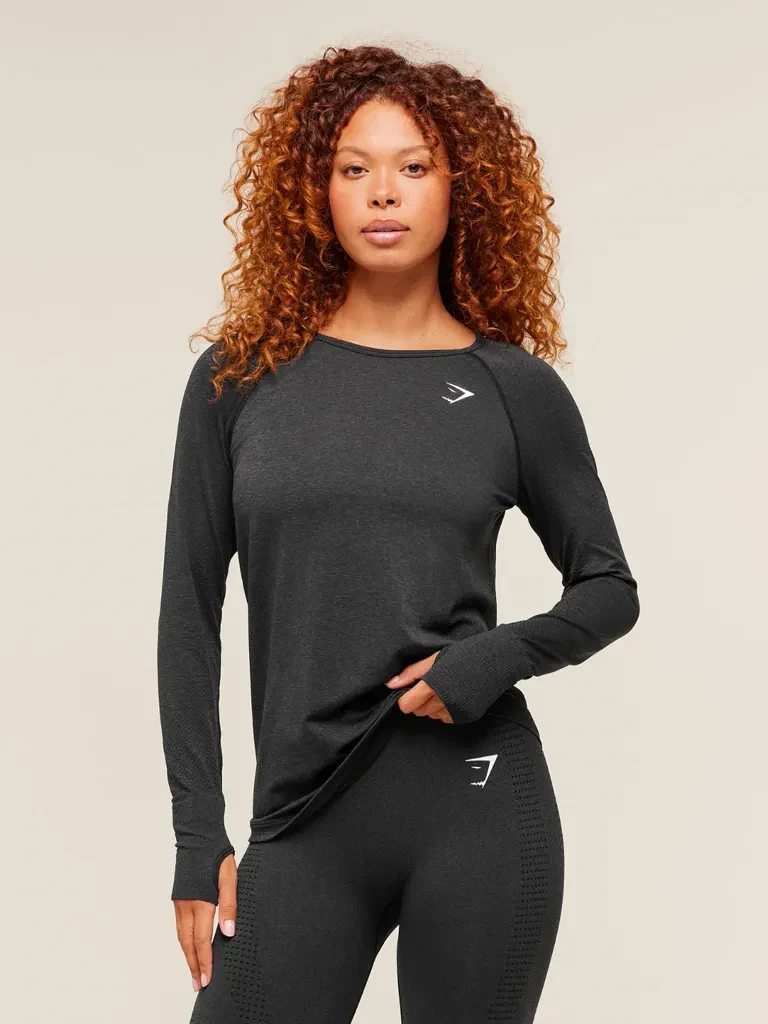
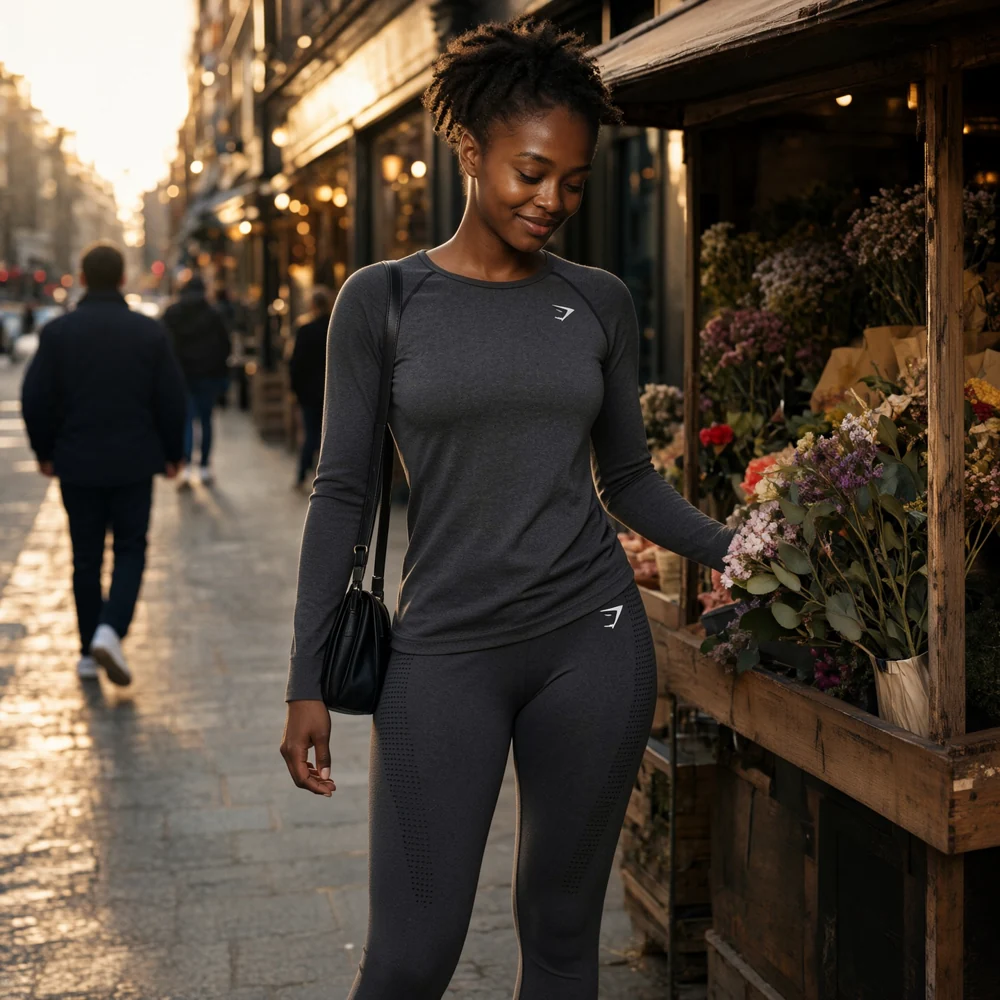
AI previews help explore a style; they do not guarantee garment fit, size or exact detail. See Mateo's overshirt example in TriFit →
QUICK ANSWERS
For your own photos, open TriFit by Velox XR. For a Shopify store, use Velox Tri-Fit on the Shopify App Store. Both use DressMe for AI outfit previews and AnimateMe for animated looks.
Open AnimateIt, upload an image or import one from a supported public link, verify your email and select Animate this image. When the video is ready, watch, download or share it. Check your available allowance before generating.
In TriFit, upload your own photo and a clothing reference. Supported public links can be imported. If a website prevents import or a link is unsupported, upload a clothing image or screenshot you have permission to use.
You can try both consumer apps free after email verification, within the allowance and limits shown in each app. The Shopify merchant trial and Studio pilots have separate terms. Free access does not mean unlimited generation.
Velox is the brand used by Velox XR Limited. TriFit, DressMe, AnimateMe, AnimateIt, RealiseMe and Velox Studio belong to this product family. The official consumer app addresses are trifit.v3lox.com and animate.v3lox.com.